Introduction: The Language Search Engines Actually Understand
Your website communicates with two very different audiences. The first is your human visitors — people who read your words, look at your images, and decide whether to trust you or click away. The second audience is invisible but equally important: search engine crawlers that systematically read every page of your site and try to make sense of what it contains.
Here's the thing. Search engines are clever, but they still struggle to interpret context the same way a human would. They can read that your page mentions "John Smith, 4.8 stars, open until 8pm" — but without additional signals, they can't reliably tell whether John Smith is a local dentist, a book author, or a fictional character. Is 4.8 stars a product rating or a film review score? Is 8pm a closing time or a concert start?
This is exactly the problem that Schema.org structured data was designed to solve. It's a shared vocabulary that lets you add machine-readable labels to your content — telling search engines not just what your page says, but what it actually means.
If your website doesn't use structured data, you're leaving a significant SEO opportunity on the table. This article explains what Schema.org is, how it works, what types of markup matter most for different websites, and how to make sure your implementation is correct.
What Is Schema.org?
Schema.org is a collaborative project launched in 2011 by Google, Bing, Yahoo, and Yandex — the four largest search engines at the time. The goal was to create a unified, open vocabulary for structured data that any website could use and any search engine could understand.
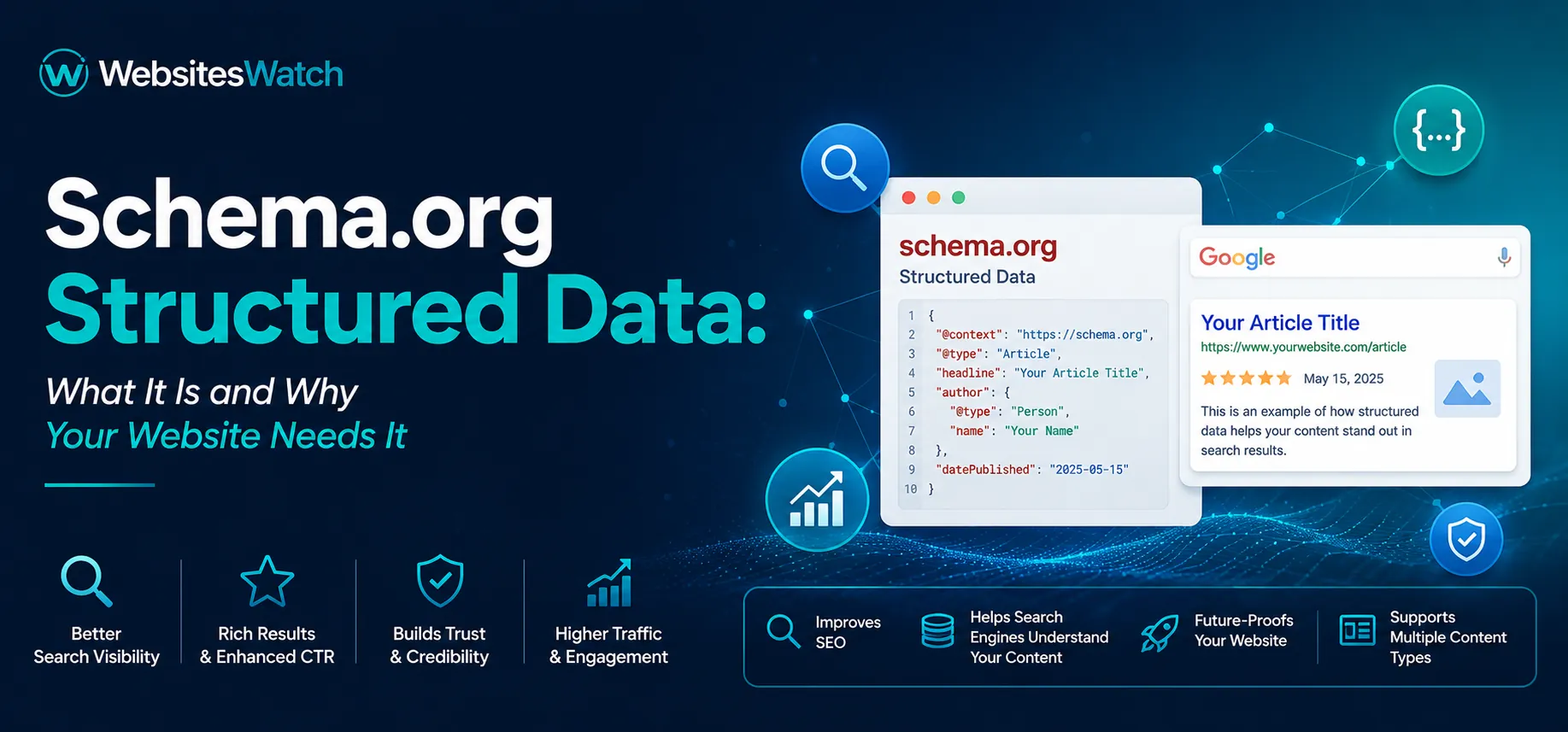
The Schema.org vocabulary defines hundreds of "types" — categories of things like businesses, products, events, articles, recipes, people, and reviews — along with specific properties that describe them. A "LocalBusiness" type, for example, has properties like name, address, telephone, openingHours, and priceRange. An "Article" type has properties like headline, author, datePublished, and description.
By adding this structured vocabulary to your web pages, you give search engines a reliable, standardised way to extract the key facts about your content — regardless of how that content is written or laid out.
How Structured Data Is Added to a Page
There are three formats for adding structured data to HTML: JSON-LD, Microdata, and RDFa. Of these, Google strongly recommends JSON-LD, and for good reason — it is placed in a separate script block in the page head, which means it doesn't interfere with the visible HTML of the page and is much easier to add, edit, and maintain.
A basic JSON-LD block for a local business looks something like this in concept: a script tag containing a structured description of the business — its name, type, address, phone number, website, and opening hours — all labelled according to the Schema.org vocabulary.
The point isn't that you need to write this code by hand (though it helps to understand what it contains). The point is that once this information is present on your page, search engines can confidently extract and use it to enhance how your site appears in search results.
Why Schema.org Matters for SEO
Rich Results: Standing Out in Search
The most visible benefit of structured data is what Google calls rich results — enhanced search listings that display additional information directly in the search results page. Depending on the type of schema you implement, your listing might show:
- Star ratings and review counts for products or services
- Price ranges or price from/to information
- FAQ answers expanded directly in the search result
- Event dates and locations
- Recipe cooking time and calorie counts
- Job posting details like salary and location
- Article publication dates and author names Rich results occupy more visual space than standard text listings. They attract the eye, communicate useful information before the user even clicks, and consistently deliver higher click-through rates than plain blue links. In competitive search results where multiple websites rank for the same terms, a rich result can be the deciding factor in which listing gets the click.
Helping Search Engines Understand Your Content
Beyond rich results, structured data helps search engines build a more accurate picture of your business, your content, and its relevance to specific search queries. When Google understands from your schema that you are a dentist based in a particular city with a specific set of services, it can serve your pages more confidently to users searching for exactly that — even when your page copy doesn't use the exact phrases being searched.
This is particularly valuable for local businesses, where the structured signals you provide about your location, category, and operating details influence whether and how you appear in local search results and map packs.
Knowledge Panels and Google's Understanding Graph
For brands, public figures, and organisations, correctly implemented schema contributes to how Google builds its understanding of who you are and what you do. It increases the chances of your brand appearing in knowledge panels — those structured summary boxes that appear on the right side of desktop search results for well-known entities. While schema alone doesn't guarantee a knowledge panel, it is one of the signals that contributes to that outcome over time.
Common Schema.org Types and When to Use Them
Different types of websites benefit from different schema types. Here are the most commonly used and impactful ones.
Organization and LocalBusiness
Every business website should implement either Organization schema (for national or global businesses) or LocalBusiness schema (for businesses that serve a specific geographic area). This includes your business name, logo, contact details, address, opening hours, and social media profiles.
LocalBusiness is especially important for service businesses, restaurants, clinics, shops, and any company that depends on local search traffic. It directly feeds the information that Google uses in Maps results and the local three-pack that appears at the top of many location-based searches.
Article and BlogPosting
If your website publishes articles, guides, or blog posts, ArticleSchema or BlogPosting schema helps search engines identify the content as editorial in nature, understand who wrote it, when it was published, and what it is about. This supports eligibility for article rich results and helps establish author credibility over time.
Product and Offer
E-commerce websites and product pages benefit enormously from Product schema combined with Offer schema. Together, these enable rich results showing product names, images, prices, availability, and review ratings directly in search listings — making product pages far more appealing in competitive search results.
FAQPage
FAQ schema allows you to mark up a list of questions and answers on a page so that Google can display them as expandable snippets directly in the search result. This is one of the highest-value schema types in terms of click-through impact, because it can effectively double the visual footprint of your listing on the results page.
BreadcrumbList
Breadcrumb schema helps search engines understand the structure of your website's navigation hierarchy and display breadcrumb trails in search results instead of bare URLs. This makes your listing more readable and communicates the organisation of your site at a glance.
Review and AggregateRating
Review and AggregateRating schema, when legitimately implemented based on actual customer reviews, enable star rating displays in search results for products, services, and businesses. Few things draw the eye in a search result like five gold stars next to a business name.
Common Schema.org Implementation Mistakes
Getting structured data onto your pages is only half the battle. Poorly implemented schema can be ignored by search engines or, in some cases, result in a manual penalty. Here are the mistakes that catch website owners most often.
Marking Up Content That Isn't on the Page
Schema.org markup must reflect information that is actually visible on the page it is placed on. Marking up a star rating that doesn't appear anywhere in the visible content, or adding a price in schema that doesn't match the displayed price, violates Google's structured data guidelines. This is treated as misleading markup and can result in the rich result being suppressed or a manual action being issued.
Using the Wrong Schema Type
Applying LocalBusiness schema to an e-commerce site that has no physical location, or using Article schema on a product page, sends confusing signals. Each schema type has a specific purpose and context, and applying the right type to the right content matters.
Outdated or Stale Information
Schema markup that is added once and never maintained can become inaccurate over time. If your opening hours change, your address moves, or a product goes out of stock, the schema needs to reflect those changes. Stale structured data is worse than no structured data in some cases, because it creates a mismatch between what your site claims and what users actually experience.
Missing Required Properties
Each schema type has required or strongly recommended properties. Implementing a Product schema without an Offer is incomplete. Implementing a LocalBusiness without an address reduces its usefulness. Leaving out key properties limits the eligibility of your content for rich results.
Duplicate or Conflicting Markup
If your website runs multiple plugins or has both theme-generated and manually added schema, you may end up with duplicate or conflicting markup on the same page. Search engines will often choose to ignore all of it in such cases. A regular audit of your structured data output is necessary to catch these conflicts.
How to Check Whether Your Website Has Schema Markup
The quickest way to check is to use Google's Rich Results Test tool, which allows you to enter any URL and see the structured data detected on that page, along with any errors or warnings.
For a broader site-wide view, WebsitesWatch includes Schema.org as one of its audit checks. When you run a website audit, the platform surfaces whether schema markup is present on your key pages and flags issues that could prevent your structured data from being used correctly. This is particularly useful for websites with multiple page types — a site-level audit gives you confidence that schema is consistently implemented across the pages that matter most, not just the homepage.
How to Implement Schema.org on Your Website
If You're Using WordPress
Several plugins handle schema markup without requiring you to write code. Yoast SEO, Rank Math, and Schema Pro are the most widely used. Rank Math in particular is known for its comprehensive, user-friendly schema implementation that covers most common types out of the box.
If You're Using a Custom or Non-WordPress Site
Your developer can add JSON-LD blocks to the relevant page templates. Google's Structured Data Markup Helper is a useful starting tool — it lets you highlight elements on a real page and generates a JSON-LD block that you can refine and implement.
Validate Before Publishing
Before publishing any schema changes, run them through the Rich Results Test or Google's Schema Markup Validator. Fix any errors that prevent rich result eligibility, and address warnings where possible.
After Implementation, Monitor in Search Console
Google Search Console has a dedicated Enhancements section that shows which pages have been detected with structured data, how many are valid, and which have errors or warnings. Check this regularly after implementing schema, and especially after any website updates that might affect your markup.
Best Practices for Schema.org in 2025
Be accurate, not aspirational. Only mark up information that is genuinely present on the page and accurate for your business. Schema is not a place to claim attributes your site doesn't actually have.
Prioritise the types that match your business. A service business should focus on LocalBusiness, Review, and FAQPage schema. An e-commerce site should prioritise Product, Offer, and BreadcrumbList. Don't implement every possible type — implement the ones that are relevant and do them well.
Keep your schema consistent with your content. If your page says you're open Monday to Saturday and your schema says you're open seven days a week, that inconsistency creates problems. Treat schema as part of your content, not as a separate technical exercise.
Audit after every major site update. Website redesigns, CMS migrations, plugin updates, and template changes can all disrupt existing schema markup. Build a schema check into your post-update review process.
Don't rely solely on plugins. Plugins are a good starting point, but they don't always generate optimal markup for every page type or business category. Understanding what your schema should contain lets you review and improve what the plugin generates.
Conclusion: Structured Data Is a Competitive Advantage Most Websites Ignore
Schema.org structured data is one of those SEO fundamentals that most small and medium businesses either don't know about or treat as optional. That creates an opportunity. When your competitors' search listings show a plain blue link and yours shows a star rating, a price, and an expandable FAQ, the difference in click-through rate is not subtle.
More fundamentally, structured data is about communication — telling search engines what your content means, not just what it says. As search engines grow more sophisticated and competition for organic visibility intensifies, the websites that communicate clearly with machine and human audiences alike will consistently outperform those that don't.
Running a structured data audit through WebsitesWatch is a simple first step to understanding where your website stands today. From there, implementing and maintaining correct schema markup puts you ahead of the majority of websites competing for the same search real estate.
WebsitesWatch checks for Schema.org implementation as part of its comprehensive 80+ parameter website audit. Run your free audit to see what your website is missing.